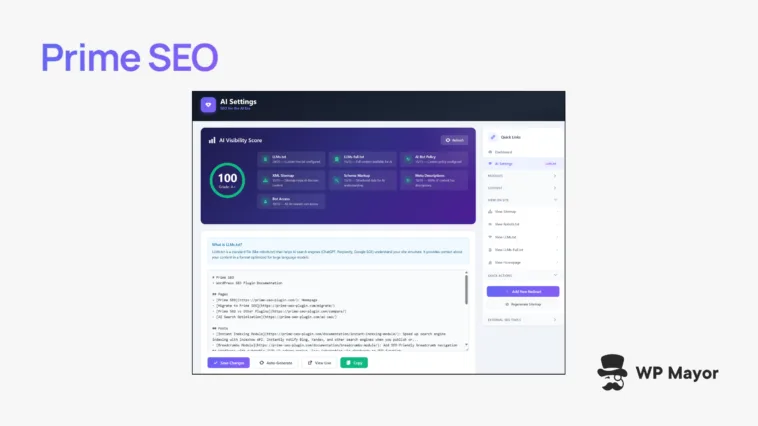
The SEO fundamentals (such as sitemaps and meta descriptions) that help you rank in typical search will always have importance, and most WordPress SEO plugins are welcome help. However, as my Prime SEO review will uncover, not many plugins are embracing the user shift towards AI search using ChatGPT, Perplexity, and many other apps.
The Prime SEO plugin takes a different approach to Yoast SEO (and others) by adding tools that control how AI systems discover, understand, and cite your content alongside more conventional optimizations.
Prime SEO Review: Fast Facts
- Prime SEO gives you typical SEO functionality as well as a number of ways to work with AI crawlers and systems.
- The plugin manages crawler access for 16 different bots including GPTBot, ClaudeBot, PerplexityBot, and Google-Extended.
- You can import your existing SEO data from Yoast SEO, Rank Math, All in One SEO, or SEOPress with minimal clicks.
Prime SEO Review: Pricing

I’m going to stick my neck out and say that Prime SEO has one of the best pricing models of any plugin: the premium edition is $59 per year. That’s it! For the money, you get some helpful extra functionality over the free version. For example:
- The ability to generate all of your metadata using AI, including the title, meta description, and focus keywords.
- A 15-point scoring chart to show you how well your site complies with what we know about visibility in AI search.
There is more to uncover, so my advice is to check out the Prime SEO PRO page and see how it shapes up.
Traditional SEO plugins center around tactics and techniques in place to dominate typical Search Engine Results Pages (SERPs). They optimize for algorithms that rank pages based on keywords, backlinks, and other technical factors.

However, over the past few years, there are more users firing up Perplexity, ChatGPT, Claude, and more to find information. Google is responding with AI Overviews, but WordPress SEO plugins are only now trying to catch up to this change. In a nutshell, your current plugin could be optimizing for completely the wrong experience, which means while your content ranks in SERPs, it’s nowhere to be seen within AI search results.

Prime SEO takes a different approach. The team behind the plugin understands that these AI systems need context to understand what your site offers and how to present that information to users: mainly structured data, contextual site descriptions, and permission frameworks that let you control how AI crawlers can use your content.
At the same time, it handles everything you’d expect from a modern SEO plugin. This dual focus matters because AI search is creating a parallel search ecosystem rather than replacing traditional search. As such, your site needs to perform well in both environments.
Prime SEO Review: Inside the Box
One of the key facets of Prime SEO is its AI Bots Manager, which lets you control how AI crawlers access and index the content on your site. You can allow or block individual bots that index for ChatGPT, Claude, Perplexity and Google. There are also quick presets to let you allow all bots, block AI training on your content, block everything, or set custom permissions.

This matters because one AI system might cite sources in responses, while another could use content for training models. So, you might want ChatGPT to cite your content but block systems that train without attribution.
This granular control lets you make decisions based on your business model and content strategy. I’ll get into the basic usage shortly, but having per-bot control rather than an all-or-nothing approach gives you flexibility to experiment with which AI systems drive value for your site.
There’s also an AI visibility score that tracks your readiness for AI search in real time based on a number of different metrics, such as the AI bots you’re allowing for and how your content is structured.

It’s a quick way to assess whether your site is ready for AI discovery without having to check each setting.
Prime SEO Review: The Traditional SEO Functionality
AI search is only one side of Prime SEO’s coin. You also get the optimization functionality you’d expect within any WordPress post or page editing screen. Across a few different sections you can carry out critical tasks:
- The General tab lets you manage your SEO title, meta description, and multiple focus keywords.
- An Advanced tab shows you options for the schema type, canonical URL, and other settings.
- Social controls handle Open Graph and X Card meta tags.
- The Analysis tab lets you see how your content scores for SEO at a glance.
Schema markup generates automatically through JSON-LD structured data and includes Knowledge Graph markup for various specifications and schema. Ultimately, Prime SEO detects patterns in your content and generates appropriate automatic schema without manual configuration.
For instance, when you structure questions in H2 or H3 headings followed by answers, Prime SEO creates FAQPage schema. Likewise, numbered step lists trigger HowTo schema.

There are plenty of other ways to spruce up your site’s search optimization:
- XML sitemaps get an index that links to separate sitemaps for posts, pages, categories, tags, authors, custom post types, and custom taxonomies.
- Image sitemap support respects noindex settings, pings Google and Bing automatically, and splits large sites into sub-sitemaps.
- A 404 monitor logs every error on-page site error while capturing referer and user agent data. You can convert any 404 log entry to a redirect with one click through the interface.
Finally, there are some additional tools to use, such as a robots.txt editor with five ready-made templates, image SEO that auto-generates ‘alt’ text and title attributes, and much more.
Prime SEO Review: How Setup and Configuration Works
Once you purchase, install, and activate the plugin, you’ll run through a four-step wizard to set up your home page SEO settings, crawler functionality, and robots.txt configuration. It takes about two minutes to complete and gives you a way to set up most of the essential functionality:

The Prime SEO > Dashboard screen gives you an overview of your site’s AI health with quick links to other facets. Here, I’m showing the free version, but the premium plugin looks exactly the same:

On the Settings page, you have practically every option available to you. I’d go as far as saying it’s overwhelming when using the Quick Links sidebar, because it’s hard to understand the hierarchy of some of the options.

For instance, the Bots Manager doesn’t have a quick link of its own, but you’ll find it on the AI Settings screen. This issue with navigation within the plugin could be different for you, of course.
There’s no concern with the individual settings pages, however. Each is clear and the UX is intuitive for me. My advice is to go down the active modules one-by-one and tweak the settings. You can always toggle which modules are active from the Dashboard.
If you head over to a post or page to look at the on-page SEO settings, you’ll see the metabox at the bottom of the screen:

This will feel as familiar as any other SEO plugin: you work through tabs to set your title and meta description, add or generate a focus keyword, and review how your content appears in search results. The SEO Score updates in real time as you optimize to give you immediate feedback on your progress.
Prime SEO Review: Support and Documentation Assessment
The Prime SEO documentation covers pretty much everything you need to know about using the plugin with clear, written instructions and plenty of screenshots:

However, I got confused with the documentation structure. All of the doc pages exist on a single long page in addition to having individual feature pages. In one way, this at least gives you multiple ways to access the entirety of the available information. In contrast, it confused me because I didn’t know whether I was missing something buried away in a dedicated page.
You’ll still find the right doc with a Ctrl+F, but the duplicate content means updates could get out of sync between versions. I’d prefer if the team committed to one approach or the other.
As for support, the free version operates through the WordPress.org support forum but you get priority support for the premium one. I didn’t see a dedicated way to get in touch with the team through the plugin dashboard, so I assume the only way is through the site’s contact information.
Prime SEO Review: My Assessment
WordPress has been aching for a plugin that doesn’t simply bolt on ‘AI functionality’, but integrates it from the off. Prime SEO fills that gap and I wouldn’t be surprised to see it take up quick adoption.
For a start, the bot management tools let you control something other SEO plugins ignore by focusing exclusively on Google rankings. I’d expect to see Prime SEO get more recognition over the next few months if the development team keeps their eyes on the proverbial ball.
Related Articles
Will this Prime SEO review give you the impetus to add AI optimization tools for your WordPress site? Share your thoughts with me in the comments section below!