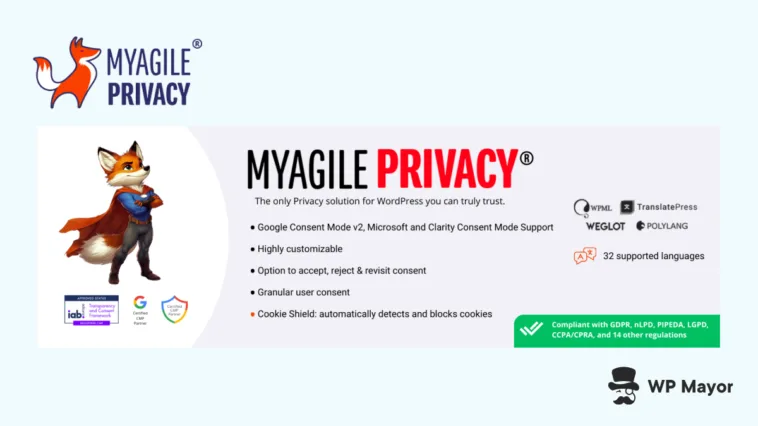
Setting up a cookie consent banner on a WordPress site typically takes minutes. However, the longer task is trying to understand whether it actually protects you. Facets such as a banner that lets scripts fire before a visitor responds (or one that buries the Reject option) can create problems regardless of looks. For this My Agile Privacy review, I’ll look at whether the WordPress-native compliance plugin does more than look the part.
My Agile Privacy Review: Fast Facts
- The Cookie Shield functionality automatically detects and blocks third-party scripts before consent is given.
- All plans scale based on domain and language needs, so all functionality is available to you.
- Privacy Policy and Cookie Policy documents are auto-generated and updated automatically as regulations evolve.
My Agile Privacy Review: Pricing

The My Agile Privacy service runs on a flat-rate subscription model with three tiers:
- Easy Plan (€24 per year). This gives you support for one domain and one language choice. It’s the right entry point if you’re a freelancer or small business owner running a single site.
- Pack Plan (€40 per year). Here you get support for two domains and two languages. I’d consider this right for a growing agency managing a handful of client sites who don’t need programmatic advertising support.
- Pack Plus Plan (€79 per year). You can support four domains with this plan, but still only two languages. However, you also get IAB TCF 2.3 support on up to two of those domains. I’ll explain more about this shortly. This tier is built for publishers and agencies that run ad-supported properties where you need compliance with advertising consent standards.
If you don’t want the restrictions on languages (or you need IAB TCF 2.3 support without being on the Pack Plus Plan, you can opt for a dedicated Agency plan. By talking to the team, you could even build a custom plan for your needs.
All plans include access to the Cookie Shield and auto-generated privacy and cookie policies too. In fact, this is a great time to start looking at what My Agile Privacy offers you.
My Agile Privacy Review: Main Benefits and Use Cases

My Agile Privacy targets a specific compliance problem: many consent plugins look compliant on the surface while failing at the technical level. For instance, a banner that loads tracking scripts before a user clicks Accept will invalidate that consent under the GDPR regardless of how the banner is configured. My Agile Privacy’s Cookie Shield blockers do this before consent, so it’s pre-emptive.

However, you won’t need to be a compliance expert to get it all right. Policy generation, regulatory updates, and consent mode configuration all happen under the hood automatically. For you, this shifts cookie compliance from an ongoing task into something you set up once and can have peace of mind over.
Speaking of which, I think three groups stand to benefit the most from the plugin:
- Freelancers and small business owners that need a trustworthy setup without a compliance background. The guided onboarding and automated policy management removes practically all of the guesswork.
- Web agencies that manage multiple client sites can treat compliance as a scalable, consistent service across their portfolio, particularly as My Agile Privacy offers reseller plans.
- Finally, any site running Google Ads, AdSense, or Analytics has a hard requirement here: the mandatory Google Consent Mode v2 requires implementation through a certified CMP, which My Agile Privacy is!
The public seems to agree, based on the 4.7 average rating from Trustpilot and the five-star rating on the WordPress Plugin Directory. However, regardless of this, the feature set of the plugin is also familiar and intuitive to use.
My Agile Privacy Review: Key Functionality
The Cookie Shield aspect is at the core of the plugin. It scans your site, catalogs the scripts and cookies it finds, then switches to live blocking mode. You’re able to run this as many times as you need, review what the scan surfaces within WordPress, and manage blocking rules without touching code.
From there, the policy generation covers both privacy and cookies. These update as regulations change or new scripts appear on your site, so for the most part you won’t need to intervene.

Also, you can activate Google Consent Mode v2 with a single click, which satisfies Google’s mandate for sites running its advertising and analytics products. The IAB TCF 2.3 registration matters if you use programmatic advertising networks, while My Agile Privacy also carries Microsoft Clarity Consent Mode support. This will be relevant based on the recent requirement for valid consent signals from European visitors.
Before I get into setting up My Agile Privacy, I want to call out a few more nifty aspects of the plugin:
- Granular consent lets visitors choose by cookie category rather than accepting or rejecting everything, which aligns with GDPR’s requirement for informed, specific consent rather than a blanket opt-in.
- Banner customization covers size, colors, borders, positioning, and all label text, so the banner integrates with your site’s design without the need for any custom CSS.
- There’s multilingual support for 32 languages through WPML, Polylang, TranslatePress, Weglot, and Falang. Translations come along for the ride at no extra cost.
- The regulatory coverage spans frameworks including GDPR, CCPA/CPRA, LGPD, PIPEDA, and a wide range of US state privacy laws. These are all maintained and updated by the My Agile Privacy team.
One final stance worth noting: many plugins include cookie consent logging within your database; some providers even present it as a compliance requirement. However, My Agile Privacy chooses to leave this out as the current regulations don’t require it (a common misconception with consent management).
My Agile Privacy Review: Setup and Configuration
Once you install and activate the plugin, you’ll want to head to the My Agile Privacy screen to check out the dashboard:

Rather than use an onboarding wizard, you get a list of essential tasks that will fill up the completion status percentage. One of these tasks is to add your license key, which is straightforward.
Once you save your changes, this will change the Cookie Consent toolbar notification from Off to Cookie Shield: Learning Mode:

If you open up the Consent Status accordion option, you’ll see that you also need to set up Google Consent Mode to ‘complete’ this step. Note that once you’re finished with the setup, come back here and change the Learning Mode to Live.
The My Agile Privacy > Policy Assistant page is where you work on turning the Policies Configuration Status notification from red to green. This is a quick wizard that asks you to fill in the blanks with regard to your customer’s locations, your company information, and other data that helps the plugin build policies unique to your site.
I found that while it was a comprehensive process, there were little UX issues that extended the time. For instance, on the Localization page, I had to select each individual state in the US, then do the same for the various data protection directives. A button to select everything all at once would have been welcome:

Once you complete, you’ll see a success page:

It’s marvelous to see that there are next steps guidance here as it helps you move through the wealth of screens and pages with ease. In this case, it’s all about creating the policy pages and adding shortcodes where necessary.
My Agile Privacy Review: Support and Documentation Quality
The human-driven My Agile Privacy support doesn’t include chatbots in the workflow. This might not seem important, but given that the support covers technical configuration, regulatory questions, and installation help (including hands-on assistance for users who need it), it can make a difference.

For deeper ongoing compliance needs, there’s the ComplianceCheck365 optional add-on. This gives you semi-annual audits: as regulations change and your site’s content evolves, it can definitely help you carry out sustained compliance.
As for documentation, the Help Desk has you covered:

I quite like the setup here for similar reasons to the Policy Assistant screen within the plugin: the page highlights essential guides, then reveals the rest choose-your-adventure style. Decision guides are an excellent way to help a user and other companies should implement this in my opinion!
My Final Thoughts on My Agile Privacy
My Agile Privacy handles the parts of cookie compliance that most plugins get wrong: preemptive blocking, certified consent mode support, and automatic policy maintenance. Also, the human support model (staffed by real privacy experts) adds a level of accountability that automated tools can’t replicate. Not to mention, the pricing is accessible for almost every type of site.
Even so, the main limitation for me is that IAB TCF 2.3 support is restricted to the Pack Plus tier. This might push smaller publishers up to a plan they wouldn’t otherwise need. For most though, neither of these will be the deciding factor. If you need compliance that holds up under scrutiny, My Agile Privacy is worth a closer look.
Related Articles
Does this My Agile Privacy review change how you think about cookie compliance on your site? Share your thoughts in the comments below!