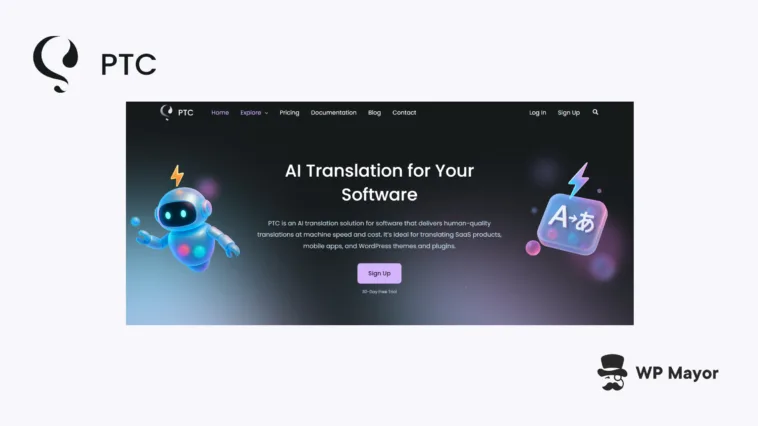
Translation is one area that AI is having a massive impact. The Private Translation Cloud (PTC) software translation tool uses the same AI technology behind the WPML WordPress plugin. The AI translates millions of words every month in many languages. Here, I’m going to examine the standalone PTC tool, especially as an option for authors of WordPress plugins and themes who want highly accurate translations.
Private Translation Cloud Review: Fast Facts
- Private Translation Cloud is the AI used in both WPML and the standalone software translation tool. However, the focus here is on its standalone localization solution for themes, plugins, and applications.
- The platform offers Git integration for automated workflows, API hooks for CI/CD pipelines, manual file uploads, and context-aware translation that maintains brand voice and terminology consistency across projects.
- PTC has a unique trial where you translate up to two languages using 2,500 words to try its functionality and translation quality.
Private Translation Cloud Review: Pricing

Private Translation Cloud is priced on how many words you want to translate. It essentially scales as more cost-effective based on how much of your content you pass to PTC.
If you upgrade after your trial, you get access to the same Git integration, API functionality, manual file uploads, built-in glossaries, and online editing capabilities, but without word or language restrictions. As such, all of the functionality remains available regardless of your project size or translation volume.
Private Translation Cloud Review: How It Solves Typical Translation Problems
Your international expansion plans can often hit a wall when you need multilingual content. Many machine translation tools produce robotic-sounding results that end up damaging your brand’s voice and make you spend too much time on reviews. Meanwhile, human translators can quote you timelines of weeks with costs that can exceed your budget.
PTC is trying to bridge this gap between machine speed and human quality. It analyzes the context of your project and your target audience to apply the right terminology and keep the right tone. It’s also programmed to preserve placeholders and alert you when translations exceed the length your interface allows. For apps, this can help you ensure your UI doesn’t break.
According to the team developing PTC, their WPML plugin is translated through the PTC platform with every release, which has saved their developers a lot of time and effort.
Private Translation Cloud Review: The Core Technology
Private Translation Cloud is a software localization tool for developer-level translation projects. As mentioned, it uses context-aware processing and learning when translating. Through the quick setup process, you’ll upload resource files or connect your repository.
The AI engine will use your glossary and site context you add at project setup to ensure the terminology is consistent regardless of whether you translate a plugin’s error messages or one of many other strings. It’s a solid way to keep your content consistent.
Behind the scenes, the tool handles some of the technical challenges that can often break machine translation algorithms. For instance, the system preserves placeholders such as %1$s and {{name}}, respects set length limits to avoid translations breaking your software’s UI. This means you can translate resource files without breaking any functionality.
Private Translation Cloud Review: The Key Functionality For Your Translation Workflow
Integration is a great place to begin. There are three integration approaches in PTC:
- Manual file uploads for one-off translations or evaluation purposes.
- An API integration that fits custom CI/CD workflows. This is for translation automation without repository access.
- There’s Git repository integration to help you implement automation.
On the latter, Private Translation Cloud monitors your GitHub, GitLab, or Bitbucket repositories for changes to resource files, translates updated content, and delivers the results through merge requests. A workflow such as this can let you maintain local feature branches without the need for your input.
There’s support for all sorts of resource file formats including .po/.pot files for WordPress, JSON for JavaScript frameworks, YAML for Rails applications, .strings/.stringsdict for iOS development, and Android string resources. Translation output includes .po, .mo, JED, and l10n.php formats for both PHP and React applications.
Remember: you have as much translation memory as you need. Private Translation Cloud’s context engine uses this to deliver translations that match the tone and terminology of your content. It essentially learns about your product, site, audience, and terminology through scanning your existing content and asking you some simple questions. Context awareness is crucial for any translation, so having this ability to address formality concerns in languages with formal/informal distinctions is welcome.
Private Translation Cloud Review: Who This Is For
The simple answer to whether Private Translation Cloud is for you is: if you want to translate your software, yes! I’d argue that this could also work if you’re a product owner or involved in software translation but aren’t a developer.
This will also apply if you work for an agency. At a developer level, you can automate translation workflows that typically require manual coordination between teams, not to mention the Git integration.
In fact, agencies can benefit from both the standalone software and the WPML integration, with the software translation service tackling custom theme and plugin development.
Private Translation Cloud Review: Setup and Initial Configuration
Getting started with Private Translation Cloud is a multi-step process that won’t involve much heavy lifting on your part. Once you sign up, you’ll begin with choosing an integration method:

The resultant steps will change based on the option you choose. I’m going with a Git integration here. This needs the details of your Git repo, main branch, and the relevant access:

Next, you can link your existing WPML site if you wish:

At this point, Private Translation Cloud will import your glossary and terminology. The scan was a few minutes on a small site, so yours might take longer.
Adding Project Information
Next is the lengthiest process in the list (for me, anyway): passing in your project information. This goes round a cycle starting with stating the name of the project, what it does, and who it’s for.

PTC then takes the information and evaluates it:

I found it confusing at times because of the way Private Translation Cloud wants you to confirm the fields. There are smaller links underneath each input field that ask you to use either the original or changed text. It wasn’t easy to recognize when these links would change as the detail is subtle. It meant one or two more frustrating rounds of refinement before moving onto selecting languages and resource files.
Adding Languages and Finalizing the Setup
Fortunately, this was a much more straightforward process. Choosing resource files is largely automated, while you choose languages from a simple menu:

From here, you have to select whether you want PTC to translate your entire project (I’m going to assume most will). You can also manage your initial glossary from here, although you can edit this later on.

I liked the final confirmation screen for a few reasons. First, you get an obligatory overview of the resource files and strings to translate. Second, the wizard gives you clear steps on what’s going to happen next.

In short, your resource files will get a translation, then you’ll have to confirm a merge request with your Git repo (if that’s the option you pick at the start):

Completing this will take you to your main dashboard screen, which means you can get to work on the next translation phase:

I liked the ease of use of the dashboard and its options. It’s not overwhelming and the setup did much of the work you’ll need to carry out. One page of note is the Translations screen, which lets you dig into each string on an individual basis:

👉🏼 If you’re using WPML, check out our review for a full tutorial on implementing the same automatic translation technology on your WordPress website!
Private Translation Cloud Review: Support and Documentation Quality
There’s a dedicated PTC microsite that also includes helpful guidance on the standalone documentation pages:

You have plenty of articles here about all aspects of the translation engine. For instance, there are guides on translating resource files, developer docs, and sections on integration and customization. I especially like the collection of posts on how to get good quality translations. Even better, there is plenty of content on how to begin using the Private Translation Cloud.
As for support, I couldn’t find any information on support options or documented processes. There’s a contact form, which I assume is the way to access support. For developers who may need a quick resolution, I’d like to see a more robust way to holler for help.
In fact, greater clarity on the support a developer can receive will obviously serve as peace of mind to you.
Private Translation Cloud Review: My Final Thoughts
Human-quality translations are central to the entire process, so a solution that can achieve this will be top of the tree. The context-aware AI technology that Private Translation Cloud provides can do the business in my book. If you’re developing themes and plugins, this platform should address workflow problems that can scupper a typical translation process. However, while there’s no doubt about the quality of the translation and technology, I’d like to see more clarity when it comes to support.
Related Articles
Does this Private Translation Cloud review convince you to automate your translation workflow? Share your thoughts in the comments section below!