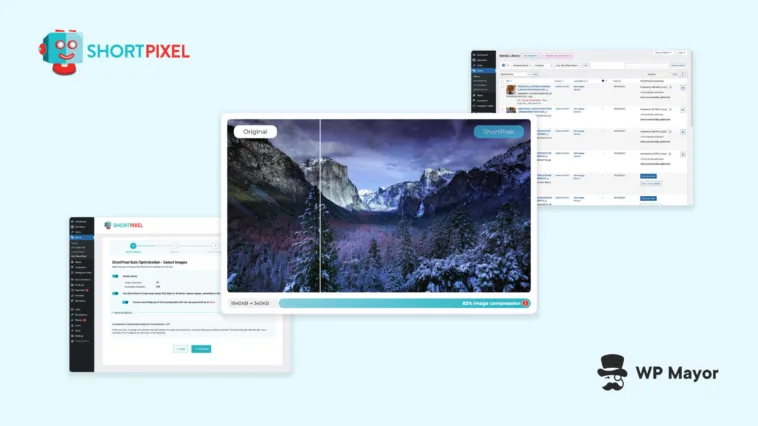
The conventional answer to slow WordPress sites is to manage images more carefully before upload, or to run periodic bulk compressions when someone finally notices the problem.
Neither scales particularly well, especially once you’re managing more than one installation. ShortPixel Image Optimizer takes a different approach, handling image optimization automatically, in the background, so the problem never compounds in the first place.

Images consistently account for the largest share of page weight on most websites, and that number grows fast when you factor in multiple thumbnail sizes, gallery plugins, WooCommerce product photos, and the habit editors have of uploading straight from their phone. This plugin is designed as an “install and forget” fix for exactly that.
What ShortPixel Image Optimizer Brings to WordPress
ShortPixel is a WordPress plugin built around a single idea of reducing image file sizes without anyone needing to think about it. It compresses images automatically on upload, converts them to modern formats like WebP and AVIF, and can bulk-process an existing Media Library in one pass.
The plugin handles JPEGs, PNGs, WebP images (yes, even existing ones), GIFs (including animated ones), PDFs, and recently added HEIC files uploaded directly from iPhone.
Practically every website can benefit from having ShortPixel on its side. Bloggers and content creators benefit from the zero-effort setup. WooCommerce store owners need the bulk processing and smart cropping for product catalogs. Agencies managing dozens of client sites get flat-rate unlimited plans and API key aliases. Developers get WP-CLI support and background mode processing for complex hosting configurations.
The core problem it addresses is the same across all of them: un-optimized images creating slow pages, poor Core Web Vitals scores, and SEO drag.
Where ShortPixel Fits in a WordPress Performance Stack
Image optimization is a distinct layer in WordPress performance. Caching plugins handle page output and CDN solutions handle delivery, but neither does much for bloated source images. ShortPixel sits in that gap, treating compression and format conversion as its primary job rather than a side feature.
It is worth nothing that ShortPixel is not a full performance suite. You would still use a caching plugin and think about code minification separately. The plugin does include a built-in CDN for serving optimized images and CSS/JS globally, which narrows that gap, but the primary value is in what happens to the images themselves before they are ever delivered.

How ShortPixel Works in Practice
Installation is the one decision you make. After that, new uploads are optimized automatically. For existing Media Libraries, a single-click bulk optimization processes everything in background mode, so the browser tab does not need to stay open. And for sites with very large libraries, they can run WP-CLI commands for faster batch processing, avoiding potential time-outs.
The compression engine, called SmartCompress, takes a different approach from tools that apply a blanket quality reduction. It runs each image through multiple optimization passes until it finds the smallest file size that still looks like the original.
The plugin offers lossy, lossless, and glossy modes, with glossy aimed at photographers and e-commerce use cases where fidelity matters more than maximum compression. WebP and AVIF conversion is automatic once enabled, with fallbacks served to browsers that do not support either format.

A more recent addition is AI Image SEO, which generates ALT text, captions, image titles, and descriptions for your entire Media Library, including WooCommerce product images, across more than 100 languages.
A preview mode lets you review AI output before applying anything in bulk. For sites with large numbers of images carrying missing or generic ALT attributes, this is a meaningful accessibility and SEO gain that sits well outside what a typical image optimization plugin offers.
What Stands Out for Agencies and WooCommerce Sites
Two audiences get more out of ShortPixel than the rest. Agencies managing multiple client sites benefit from the unlimited plans, API key aliases, and the Save & Restore settings feature, which lets you configure once and push the same setup across new installations. This means the per-site overhead drops considerably once that workflow is in place.
WooCommerce store owners get something more specific with AI-powered smart cropping for subject-centred product thumbnails, glossy compression for product photography, and AI SEO support built around product images.
Since product photos carry both visual and commercial weight, tools that treat them as generic image files handle only half the problem. If you also need to edit or adjust product images directly inside WordPress, it is worth looking at dedicated image editing plugins alongside a compression solution. For stores with large catalogs, the combination of compression quality and automated metadata generation is a very practical time saver.
Limitations and Trade-Offs to Keep in Mind
The credit-based model on lower plans is worth understanding before choosing a plan. One credit equals one optimized image or thumbnail, but only if ShortPixel achieves at least 5% compression — if it cannot, no credit is used.
The friction comes from WordPress’s thumbnail system. A typical upload generates multiple thumbnail sizes, meaning a single image upload can consume multiple credits. Enable WebP versions for the original and its thumbnails and that number climbs further. A site publishing regularly with WebP enabled can burn through credits faster than the plan’s headline number suggests.
The free plan’s 100 credits per month reflect this reality. It covers far fewer than 100 uploaded images in practice. Monthly credits reset each month and unused credits do not carry over, though one-time credit packages never expire and can supplement a monthly plan when needed. If you cancel a monthly subscription, any remaining credits convert to one-time credits rather than disappearing.
The Unlimited plan removes credit counting entirely, replacing it with a 500GB monthly CDN traffic quota. AI SEO features, AI upscaling, and background removal are gated to higher-tier or unlimited plans, so sites that want the full feature set need to budget for it specifically, not just for compression, but it could be well worth the investment.
The built-in CDN is there to serve your optimised images faster, not to replace Cloudflare or whatever CDN you are already running. If you’re already on Cloudflare, there is a Token integration that keeps your cache in sync when images are re-optimised. Beyond that, CDN strategy is still your own to sort out.
Pricing and Credits
ShortPixel’s pricing splits neatly into two options.
If you publish regularly and want to forget about credit counts, the Unlimited plan covers everything for a flat monthly or annual fee, with 500GB of CDN traffic included.
If your needs are more occasional, such as a one-time Media Library cleanup, one-time credit packages are available and never expire, so you can buy when it suits you and use them whenever.

The free plan gives you 100 credits a month to start, so if you want to test it out first, give that a go.
SmartCompress, lossy/glossy/lossless algorithms, WebP and AVIF conversion, bulk optimization, multisite support, and GDPR compliance are included across all plans.
Is ShortPixel Image Optimizer a Good Fit for You?
ShortPixel is the kind of plugin that earns its place by staying out of your way. If images are a regular part of publishing on your site and the current process is manual, unreliable, or simply skipped, it solves the problem without adding overhead.
Agencies, WooCommerce stores, and content-heavy sites definitely get the clearest return on investment.
Smaller sites with thin Media Libraries may not need it if they’re find doing some manual work, while anyone with a complex CDN configuration should check the integration options before getting started.
Unoptimized images are a slow leak on most WordPress sites — easy to ignore and much harder to fix once it has compounded. ShortPixel is built to close that gap quietly. If you want to go further, our actionable image optimization guide covers what else is worth doing.
Will ShortPixel give you cause to revisit how your site is currently handling image optimization?